Help Center / Managing Your Church / Inviting operators & setting permissions
Inviting operators & setting permissions
Add volunteers, and restrict which rooms and languages each may use.
3 min read
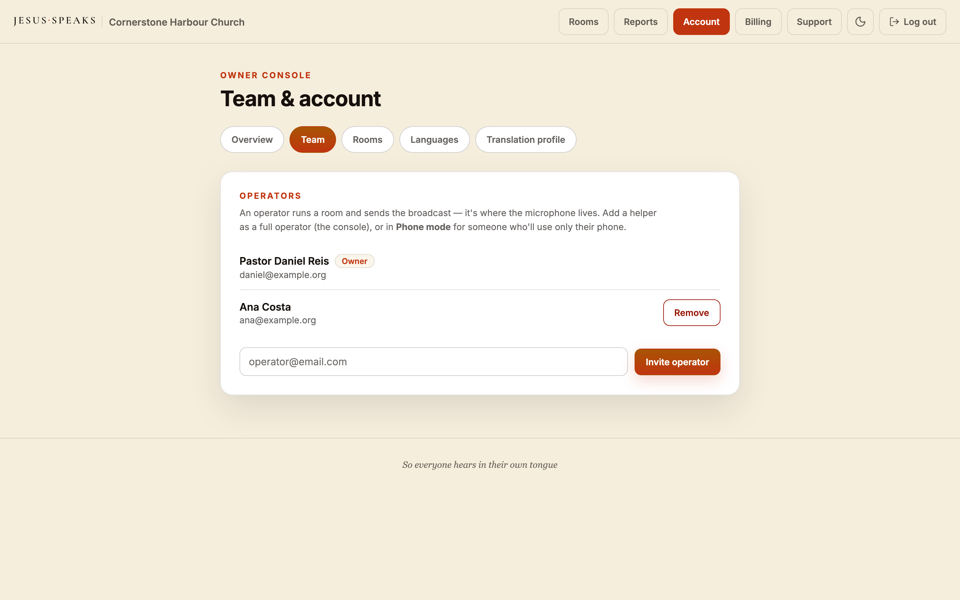
Your A/V volunteers run sessions as operators. You decide exactly what each one can do.
The two roles
| Role | Can do |
|---|---|
| Owner | Everything — billing, rooms, languages, operators, and running sessions. |
| Operator | Run live sessions in the rooms and languages you allow. |
- 1Invite a volunteer as an operator.
- 2Restrict which rooms they may run, if you wish.
- 3Restrict which languages they may use, if you wish.
- 4Save — they get access the moment they accept.
Tip
Different volunteers each week
Because permissions are per person, you can hand a new operator a tightly-scoped login and know they can only run the room you intended.
Still stuck?Report a problem →
Related articles
Creating & configuring rooms→Choosing which languages your church offers→Your dashboard at a glance→
Managing Your Church