Help Center / Managing Your Church / Creating & configuring rooms
Creating & configuring rooms
A room is a translation channel — name it, color it, set its defaults.
4 min read
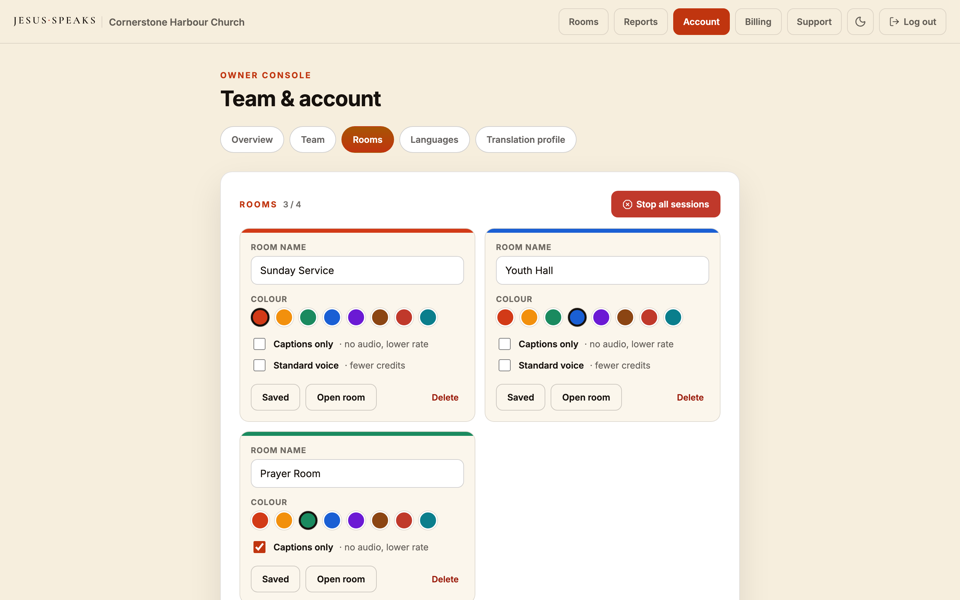
A room is a translation channel for an event or venue — for example “Main Sanctuary” or “Youth Hall.” Create one and set how it behaves.
- 1Create a room and give it a name.
- 2Choose an accent color so it's easy to tell apart.
- 3Set whether it's text-only (captions, no audio — cheaper).
- 4Set the default delivery (Sentence mode on or off).
- 5Set the default voice engine (Standard or Premium).
- 6Choose the allowed languages — or use the one-click “Allow all languages.”
Tip
One room per venue or event
Make a room for each space you translate in. Operators pick the room when they start, and each carries its own defaults so Sunday setup is instant.
Still stuck?Report a problem →
Related articles
Text-only rooms→Choosing which languages your church offers→Inviting operators & setting permissions→
Managing Your Church