Help Center / For Listeners & Displays / How congregants listen on their phones
How congregants listen on their phones
Open a link or scan a QR, choose a language, tap once, listen with earbuds.
3 min read
For your congregation it could not be simpler — no app, no account, no setup.
- 1Share the listener link or QR code (on a slide, in the bulletin, or on a card).
- 2They open it in any browser.
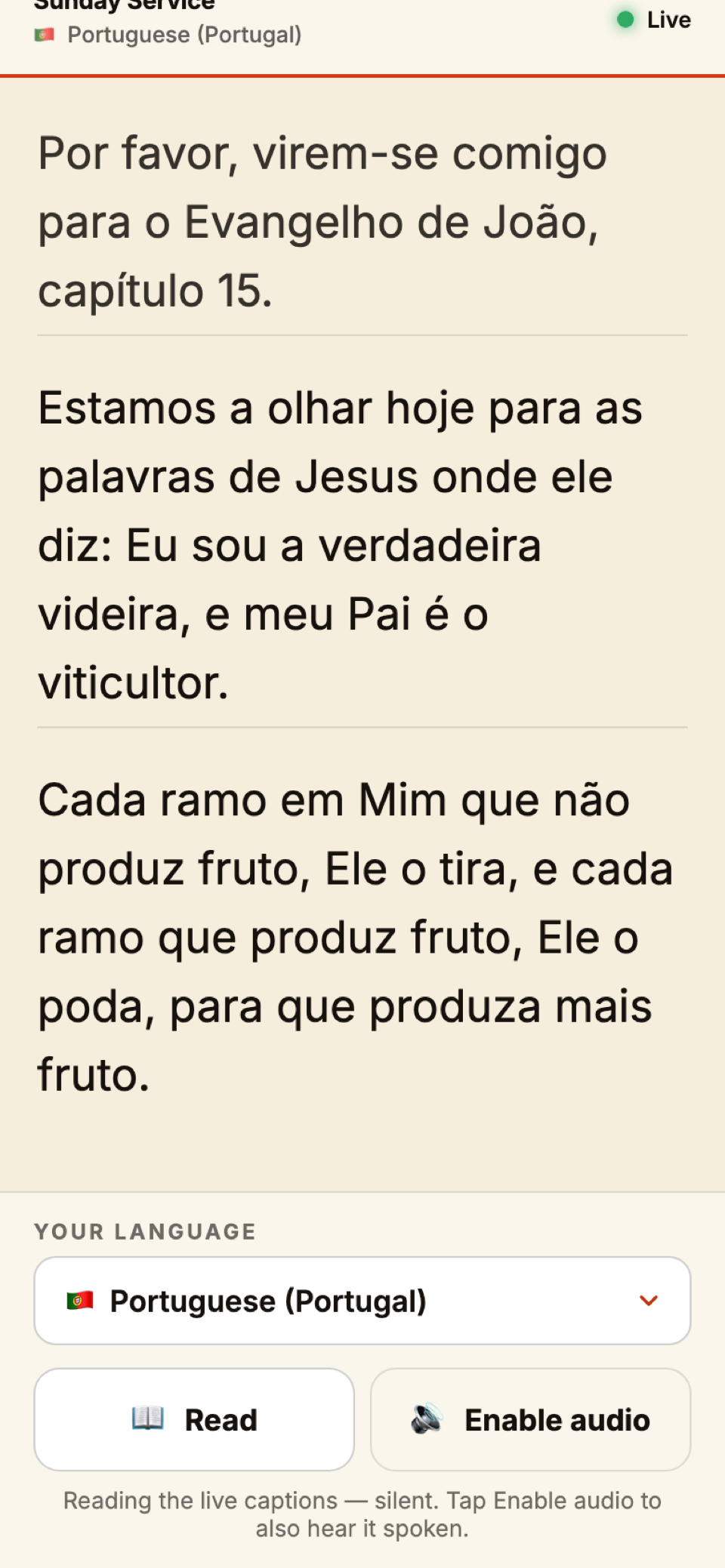
- 3They choose their language.
- 4They tap once to enable audio — phones require a single tap before they'll play sound.
- 5They listen with earbuds. Captions show on screen too.
Tip
Tell people to bring earbuds
A line in the announcements does the trick. Once audio is playing, the phone screen can sleep and the sound keeps going.
Still stuck?Report a problem →
Related articles
Reading view: captions for the hard of hearing→The projector / big-screen display→Listening during a Zoom, Teams or Meet call→“Listeners hear nothing / audio is choppy”→
For Listeners & Displays