Help Center / Getting Started / Creating your account & church
Creating your account & church
Sign up once and you create both your personal login and your church's account.
4 min read
Getting started takes about a minute. One sign-up creates two things at once: your personal login and your church or organization's account — and it makes you the owner.
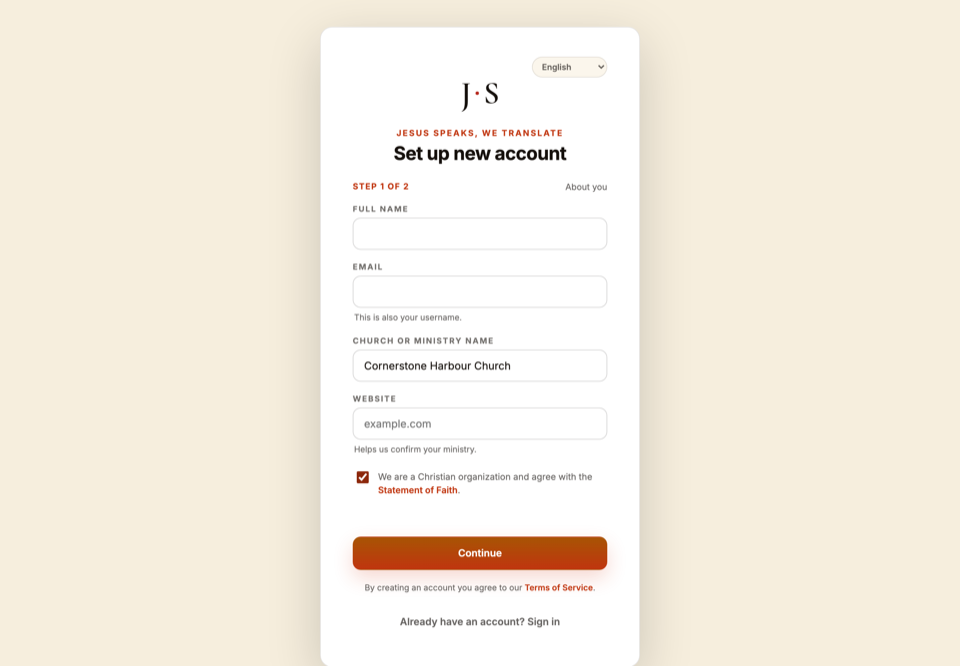
- 1Go to jesusspeaks.eu/signup.
- 2Enter your name, email, and a password.
- 3Name your church or organization.
- 4Add your website if you have one — you can type it plainly as yourchurch.org (no https:// needed).
- 5Read and affirm the Statement of Faith — this checkbox is required.
- 6Submit. You're in.
Important
You're the owner
Whoever signs up becomes the account owner, with full control over rooms, billing, languages, and who else can run sessions. You can invite operators afterward.
Tip
Free trial credits
Your new account starts with €5 of free trial credit, valid for 45 days, so you can run a real session and try everything before you ever buy. A card is required to start the trial, but it's verified, not charged.
Related articles
Getting Started