Help Center / Getting Started / Signing the Terms of Service
Signing the Terms of Service
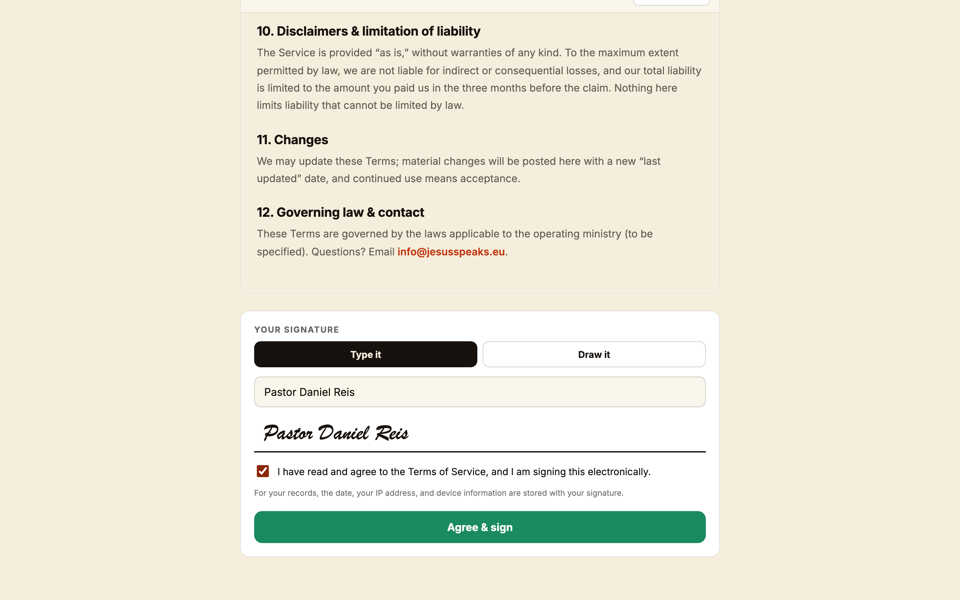
A one-time e-signature on first use — scroll to the bottom, tick the box, sign.
2 min read
The first time you use Jesus Speaks, we ask you to electronically sign the Terms of Service. It's quick, and it only happens once.
- 1Read the Terms in the panel that appears.
- 2Scroll all the way to the bottom — the “I have read” box won't activate until you do.
- 3Tick the “I have read” checkbox.
- 4The Sign button lights up. Press it to record your signature.
Important
This is a real e-signature
Your signature is recorded to your account as a legal e-signature. You won't be asked again unless the Terms change.
Still stuck?Report a problem →
Related articles
Getting Started