Help Center / For Operators / Choosing the language pair (and favorites)
Choosing the language pair (and favorites)
Set the language you speak and the language(s) the room receives; save favorites.
3 min read
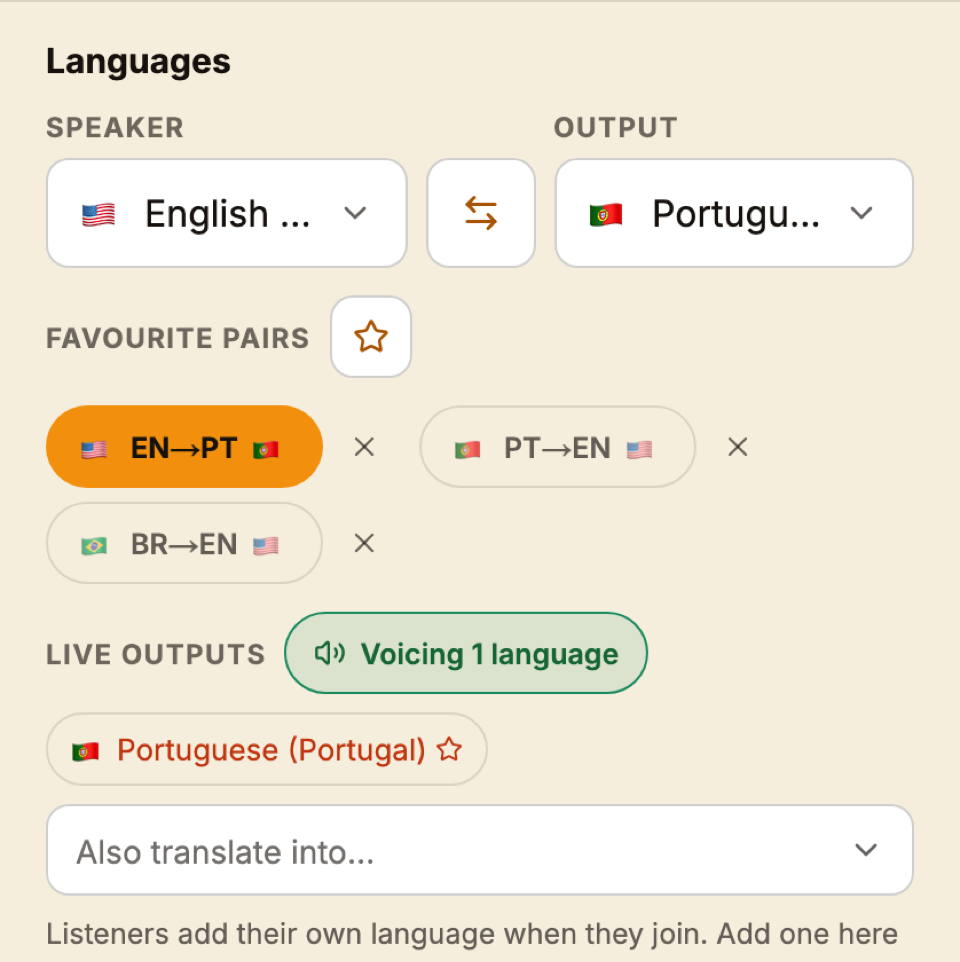
The language pair tells Jesus Speaks what you're speaking and what to deliver.
- Source — the language you speak into the microphone.
- Target — the language(s) the room receives.
Save the pairs you use most as favorites — for example EN→PT — so you can switch with a single tap when a guest speaker takes the mic in another language.
Tip
Listeners aren't limited to your pair
The pair you pick here is the primary one, but the room can output many languages at once — each listener chooses theirs on their own phone.
Still stuck?Report a problem →
Related articles
The operator screen, explained→Choosing which languages your church offers→How congregants listen on their phones→
For Operators